WordPress
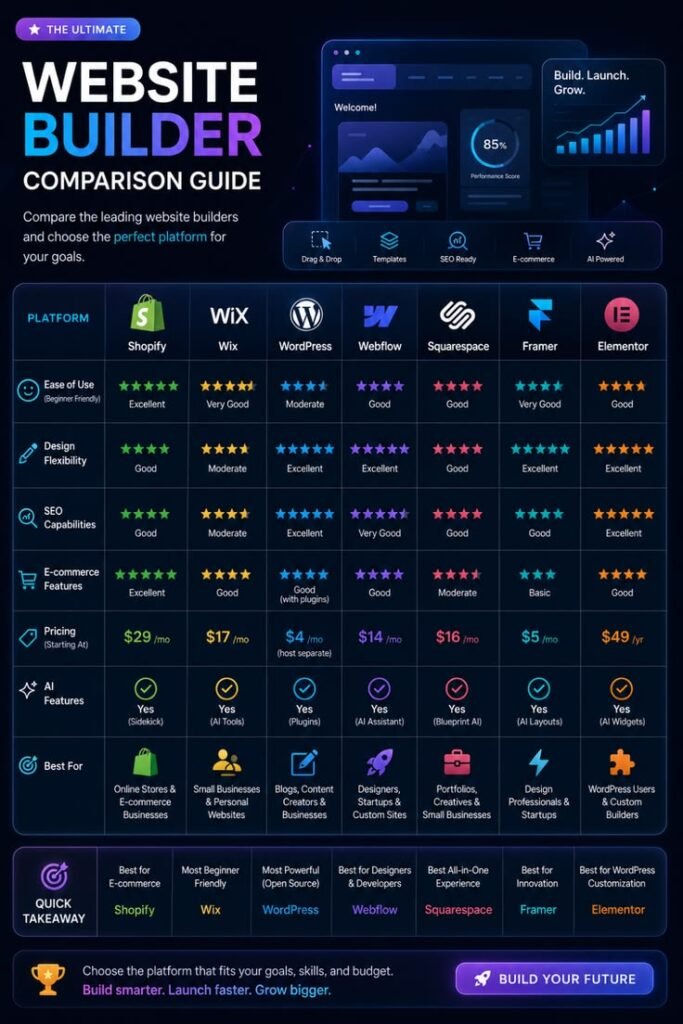
WordPress is highly flexible and supported by an enormous ecosystem.
It works particularly well for:
- content-heavy websites
- blogs
- service businesses
- ecommerce
- custom functionality
- sites requiring broad plugin support
Advantages
- flexible
- widely supported
- large ecosystem
- WooCommerce
- easy content management
- strong SEO options
Things to Consider
Plugins and themes need to be managed carefully.
Poorly maintained WordPress installations can become bloated or difficult to update.
Webflow
Webflow combines visual design tools, CMS functionality and hosting within one platform.
It can be excellent for:
- marketing websites
- portfolios
- creative brands
- landing pages
- visually ambitious company sites
Advantages
- strong visual control
- integrated hosting
- animations
- clean design workflow
- fewer plugin dependencies
Which Is Better for SEO?
Both platforms can rank.
SEO success depends far more on:
- content
- site architecture
- authority
- internal linking
- technical quality
- search intent
than the logo on the CMS login screen.
Which Is Better for Your Business?
Choose based on:
- required functionality
- who will manage the site
- content volume
- integrations
- ecommerce needs
- future growth